Mobile App for People With Epilepsy
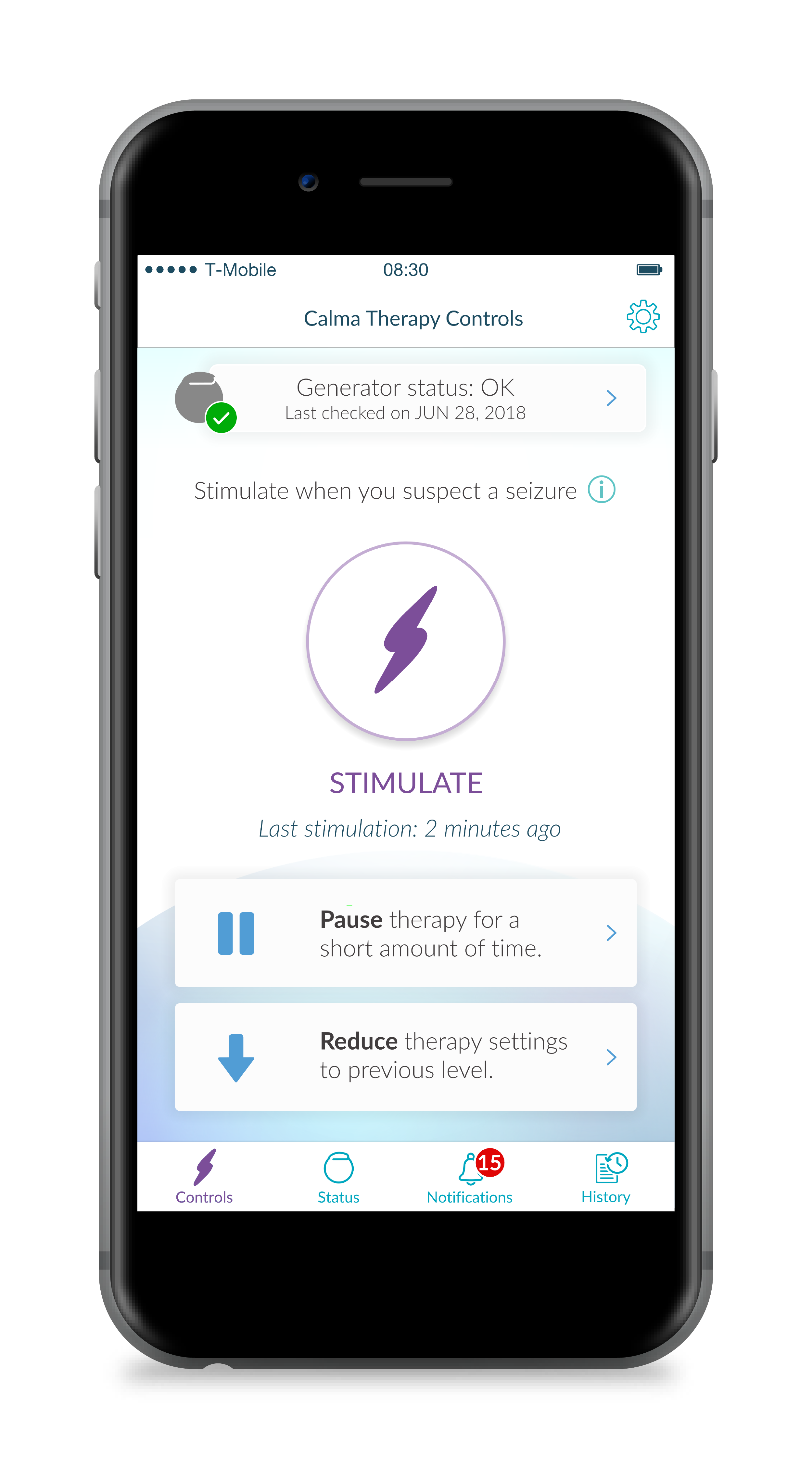
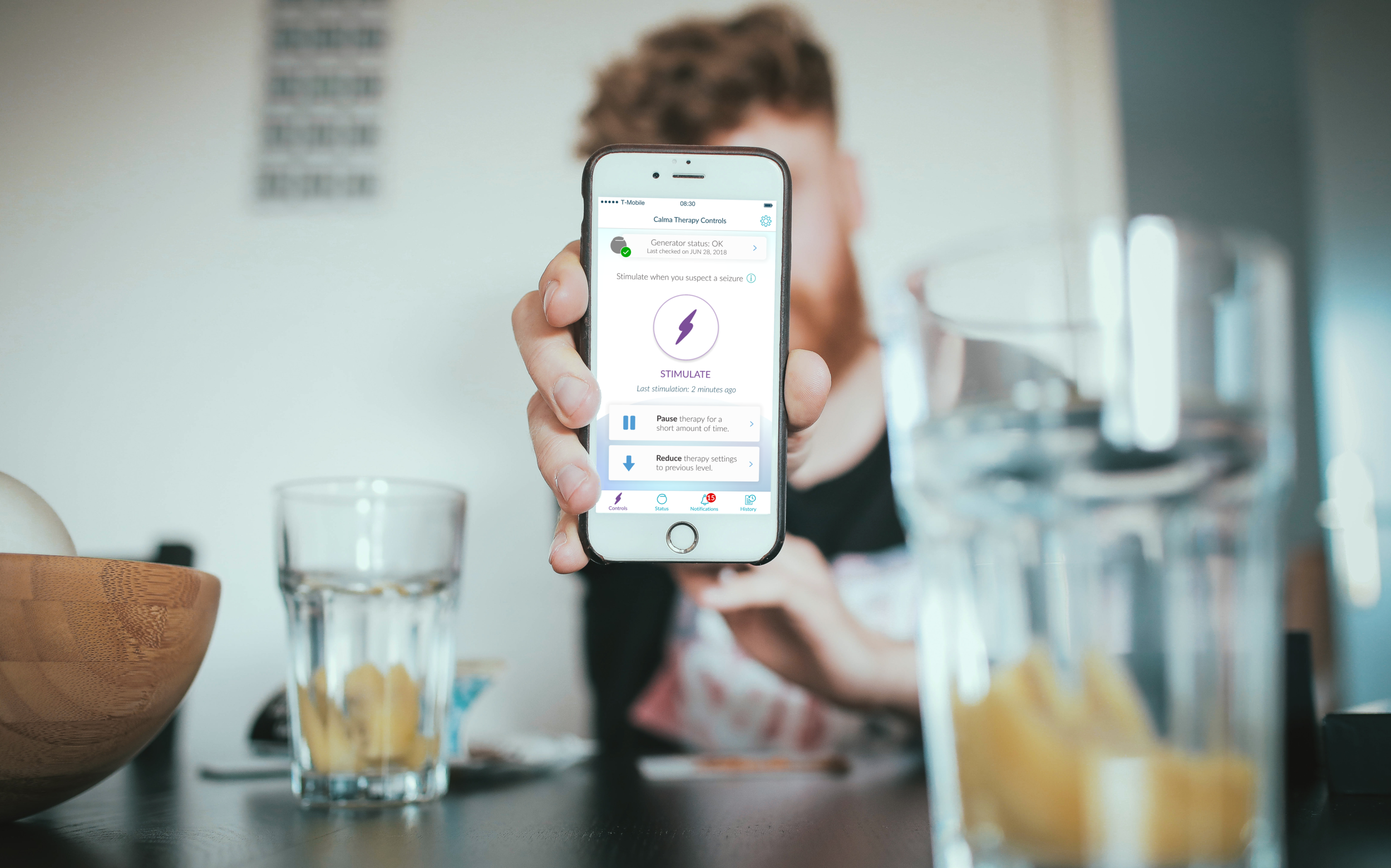
Calma is an app intended to give people with epilepsy more control of their lives. The app is paired with a nerve stimulator that, when activated, reduces the onset and severity of seizures. The app also collects valuable information for clinicians which can help modify a patient’s treatment plan.
Overview:
My role
UX/UI designer responsible for:
Notification workflows (iOS/Android)
User Persona development
Developing interactive prototypes
Leading client communication and design presentations
The Challenge
I was resourced to this project upon the departure of a previous employee. It was important for me to create a seamless transition while addressing the following items:
Out-of-app stimulation, notification, and remote monitoring workflows.
Create a wide range of user personas that capture the intended users, and align with previous user research completed by the client.
Manage all client invoicing and budgetary constrains.
The Process:

Client Handoff
Client handoffs can be challenging. It was crucial that I establish a strong rapport from the beginning.
In order to ensure our client felt supported during the transition, I scheduled a variety of on-boarding meetings. Some focused on app familiarization, while others worked to define expectations for both parties. We established a direct line of communication with the client via Slack to be able to respond to questions or concerns in a timely manner.
Software change
Half-way through the project, our company transitioned to a new UI software.
Internally, the benefits of this change were blatantly obvious. Externally, however, our client had concerns about such a drastic change late in the project’s life cycle. I spent time with the client explaining the benefits of Figma, and how ultimately, it would better serve both parties and save money by increasing our team’s efficiency.
Android Design
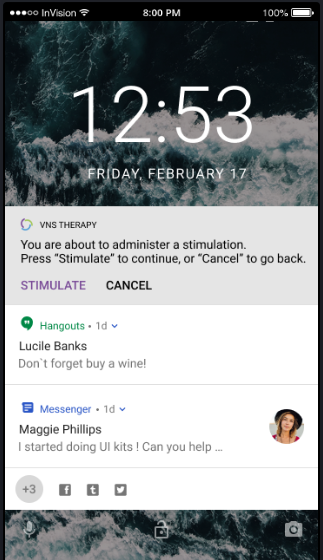
This was my first exposure to Android design. I had to quickly familiarize myself with their guidelines.
Previously, most of my experience was in designing for iOS. The client, however, needed the app and its workflows modified to fit Android standards. This was an excellent exercise in learning about the nuances of iOS vs Android design. Specifically, I became familiarized with the additional interaction capabilities of Android devices.
Out-of-App Stim
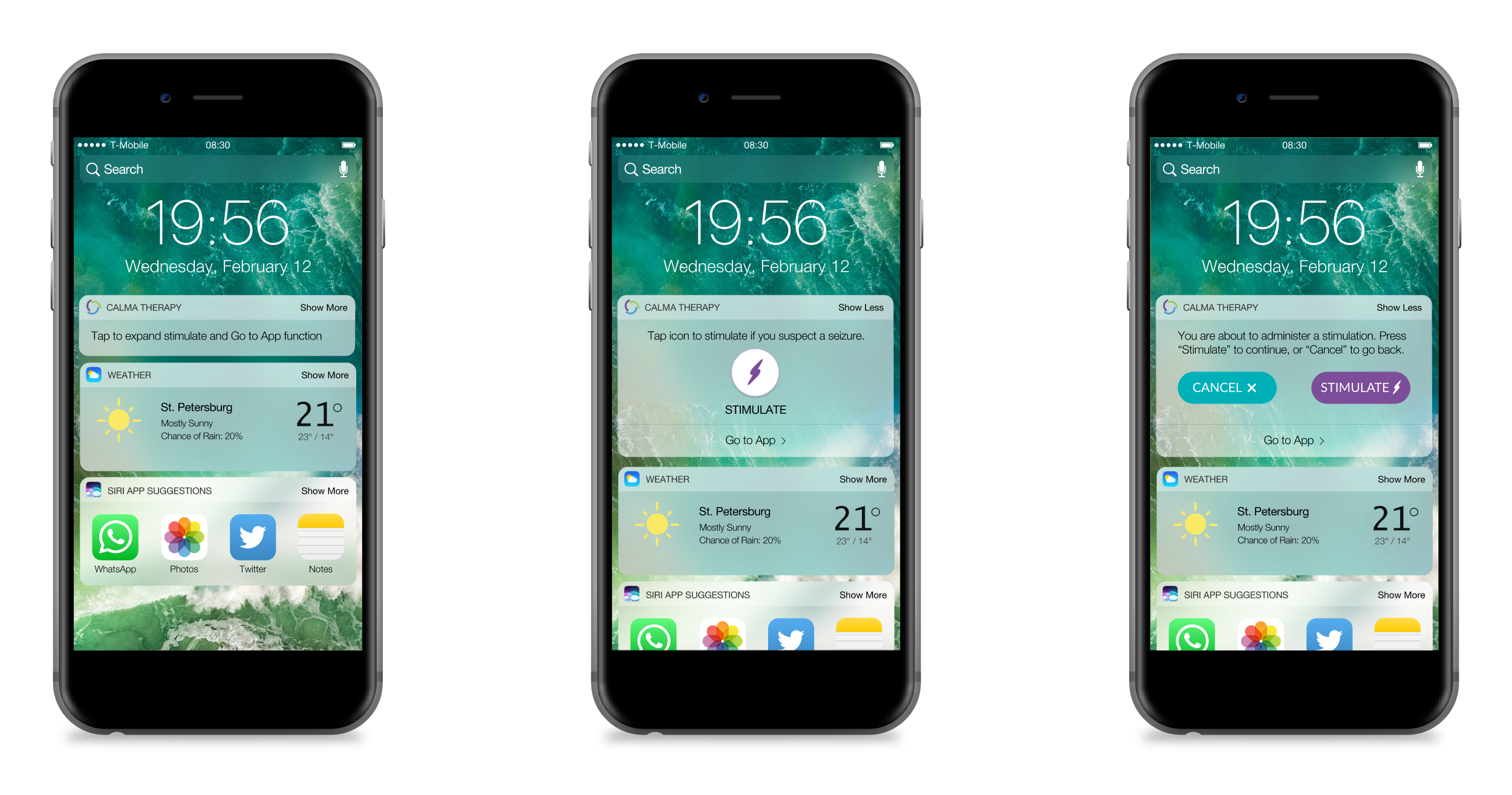
I was challenged to devise a way to deliver a stimulation when a user is not in the app. This feature would be useful for patients, anticipating a seizure on short notice, and caregivers, who might not have access to a patient’s password. The solution was a custom widget. Because delivering a stimulus is a medium-risk interaction, I incorporated several design mitigation to prevent accidental stimulation. As shown above, the “Stimulate” button is hidden in the collapsed widget and can only be revealed when a user taps on the collapsed menu. If “stimulate” is pressed, a second confirmation pops up which must be confirmed prior to stimulation.
User Personas
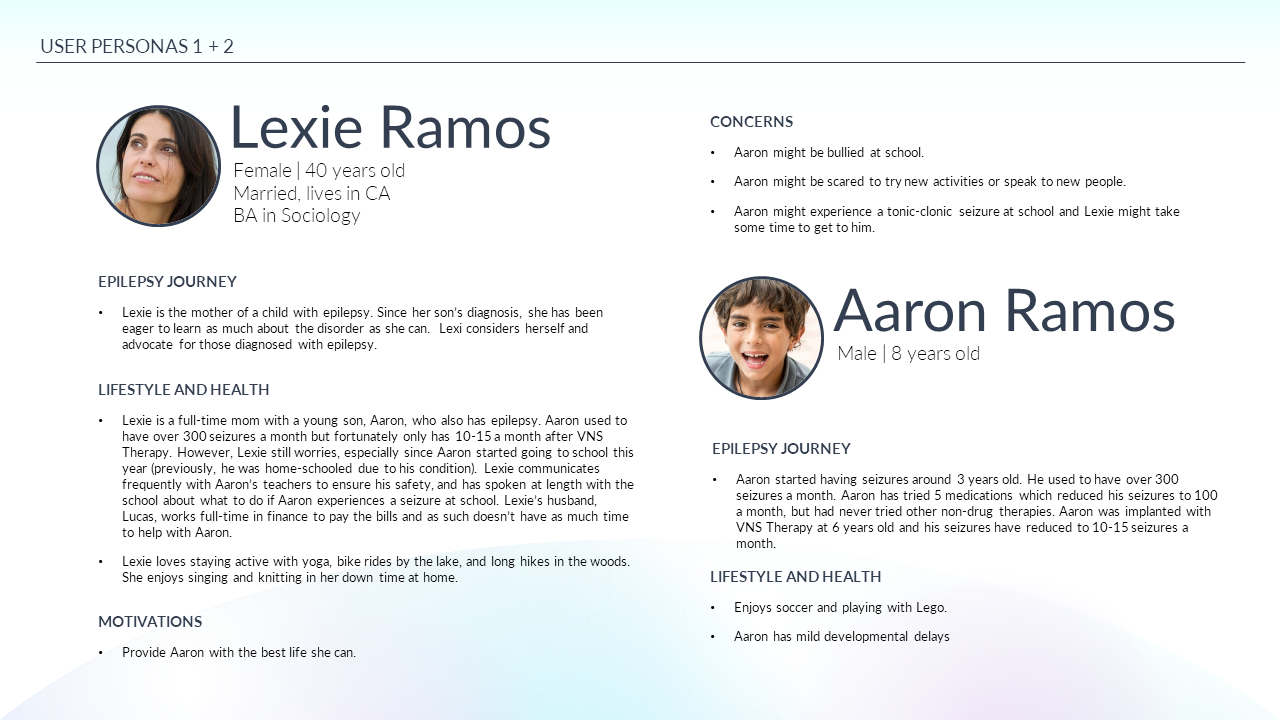
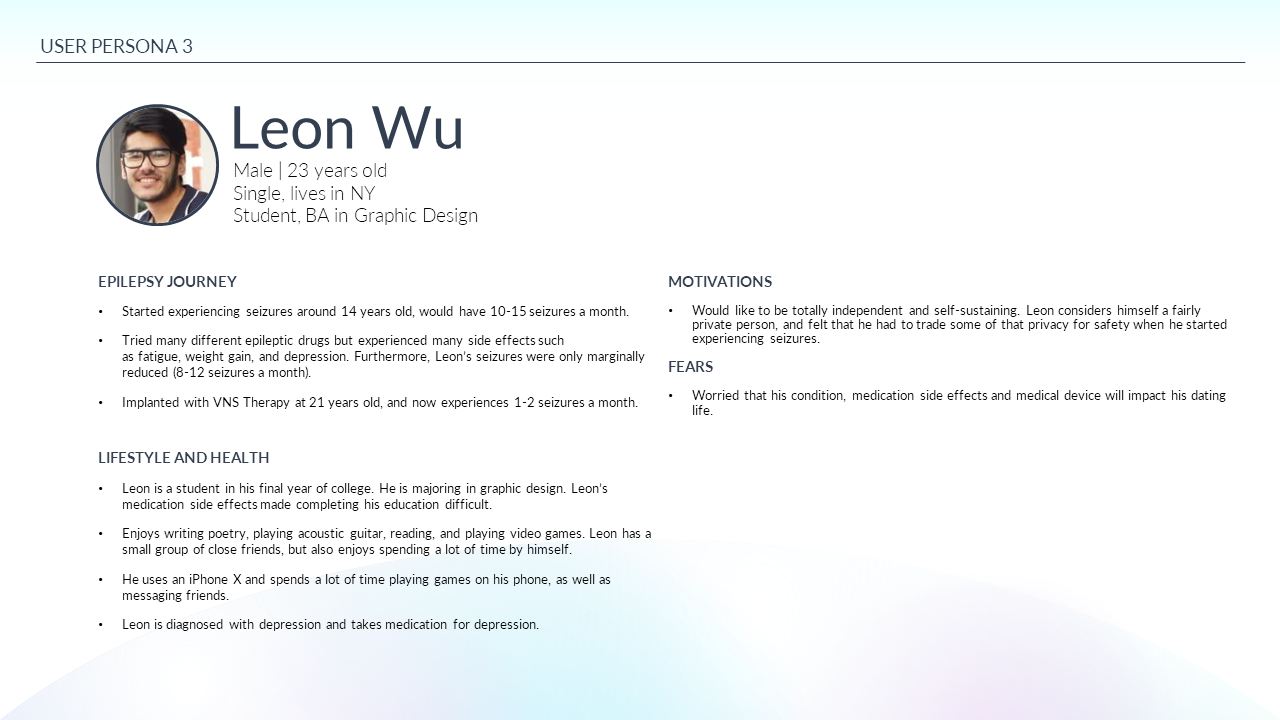
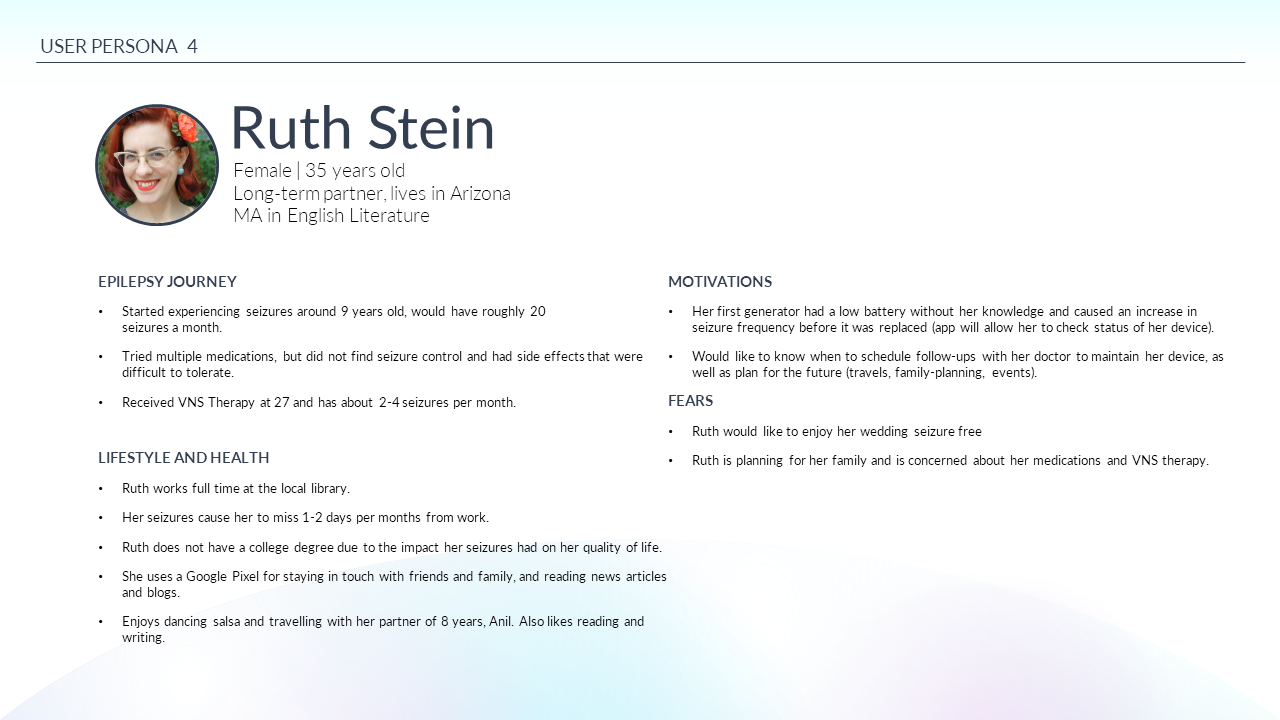
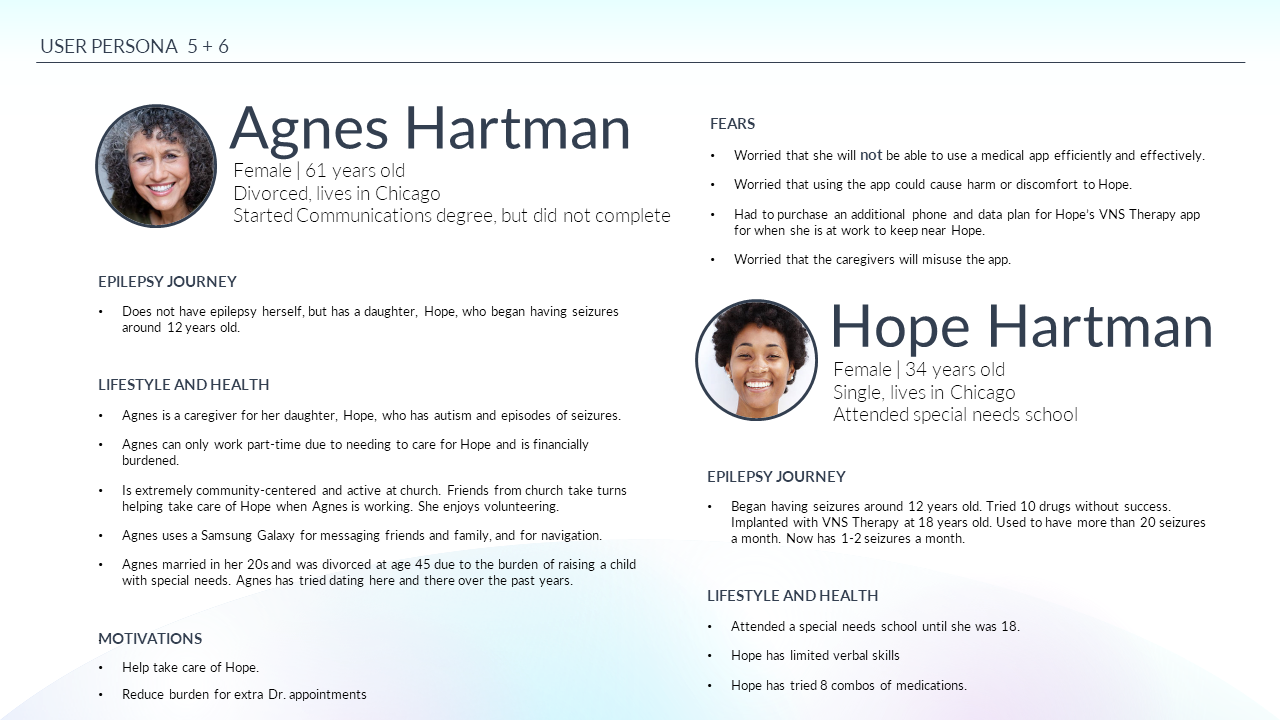
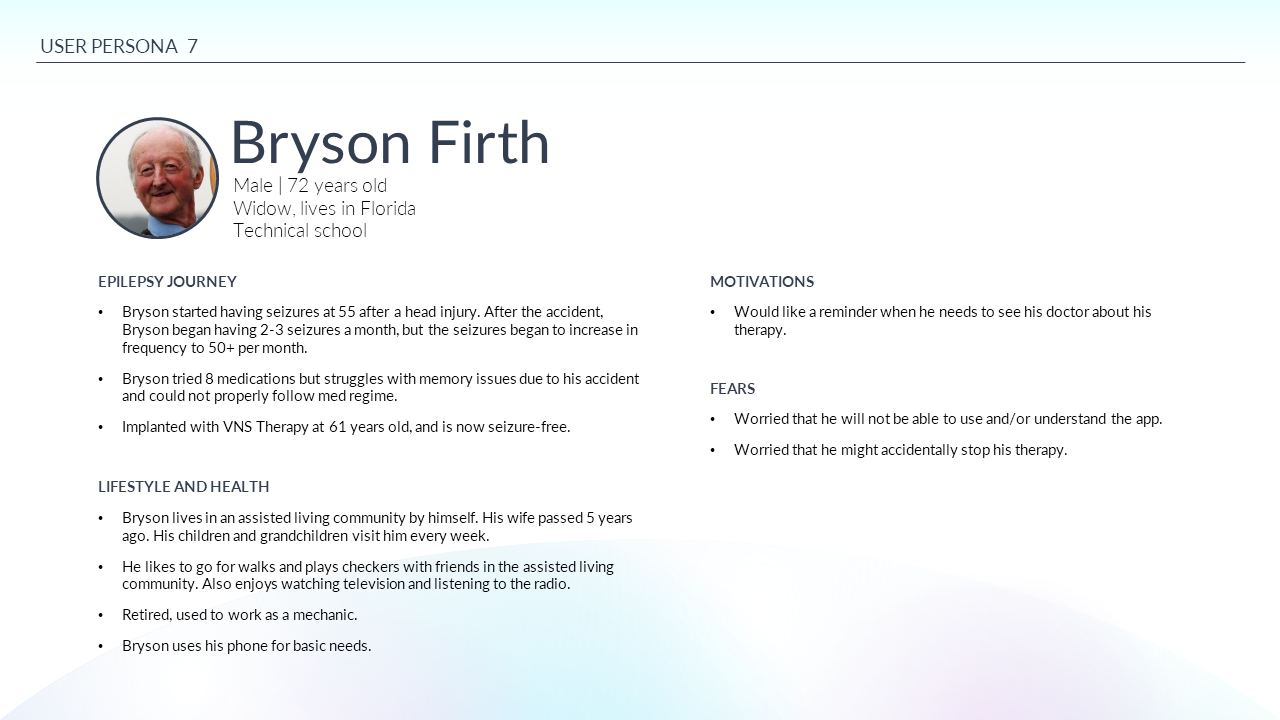
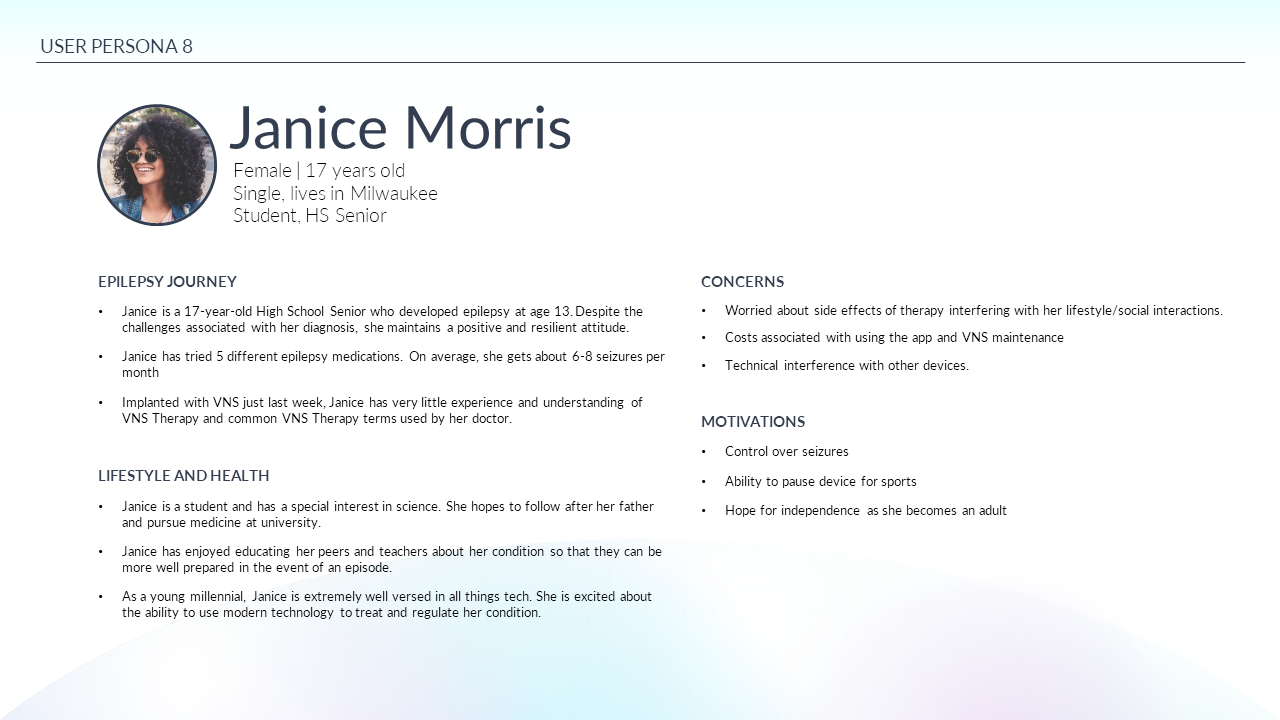
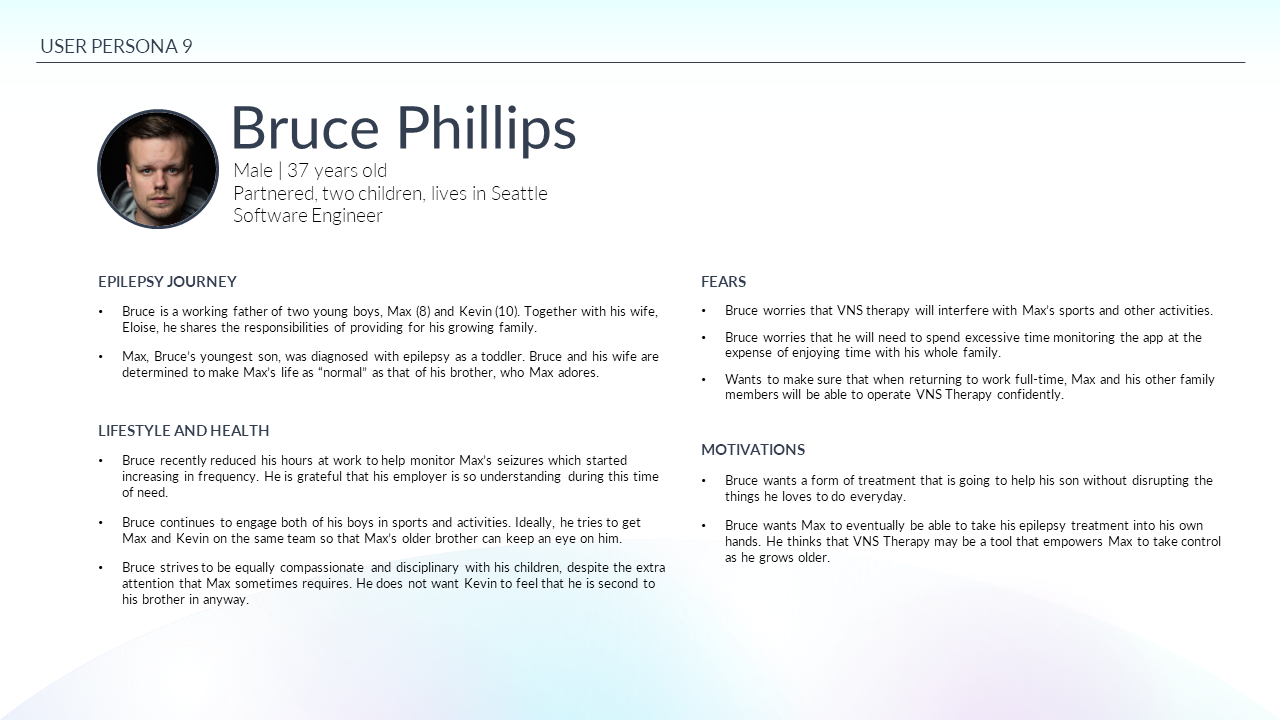
While the client had done extensive research about their users, they hadn’t visualized their findings in the format of personas. We explained the benefits of personas in their ability to capture “general users” and drive the implementation of their designs. I created a variety of diverse, user personas for the client to reference.
LOOKBACK:
For me, this project moved beyond design and into the realm of client-customer relations. While I played an active role in completing design deliverables, my value laid in ensuring that the client felt confident, well-informed and trusting during a period of transition. This was achieved through:
Communication - Slack channels and regular check-ins after the employee’s departure were appreciated by the client who felt that the importance of their project was not lost on us.
Modernized Software- The transition in design software was risky, but in walking the client through its benefits, we helped alleviate any concerns. Ultimately, they were pleased with the speed and efficiency with which designs were produced after transitioning software.
Budget monitoring - There’s nothing worse than a client feeling that an internal transition is costing them money. By keeping a close eye on budget, I managed to make sure that no extra charges would need to be requested as a result of changes that were out of their control.